FreeCAD
Editable sketches and features, solid geometry checks, and saved FCStd models.
BUILD A PART. CHECK THE RESULT.
Give a model a drawing and CAD tools. cad-env runs its actions in FreeCAD, checks the finished part and records the steps for training.
LATEST / 09 NOV 2026
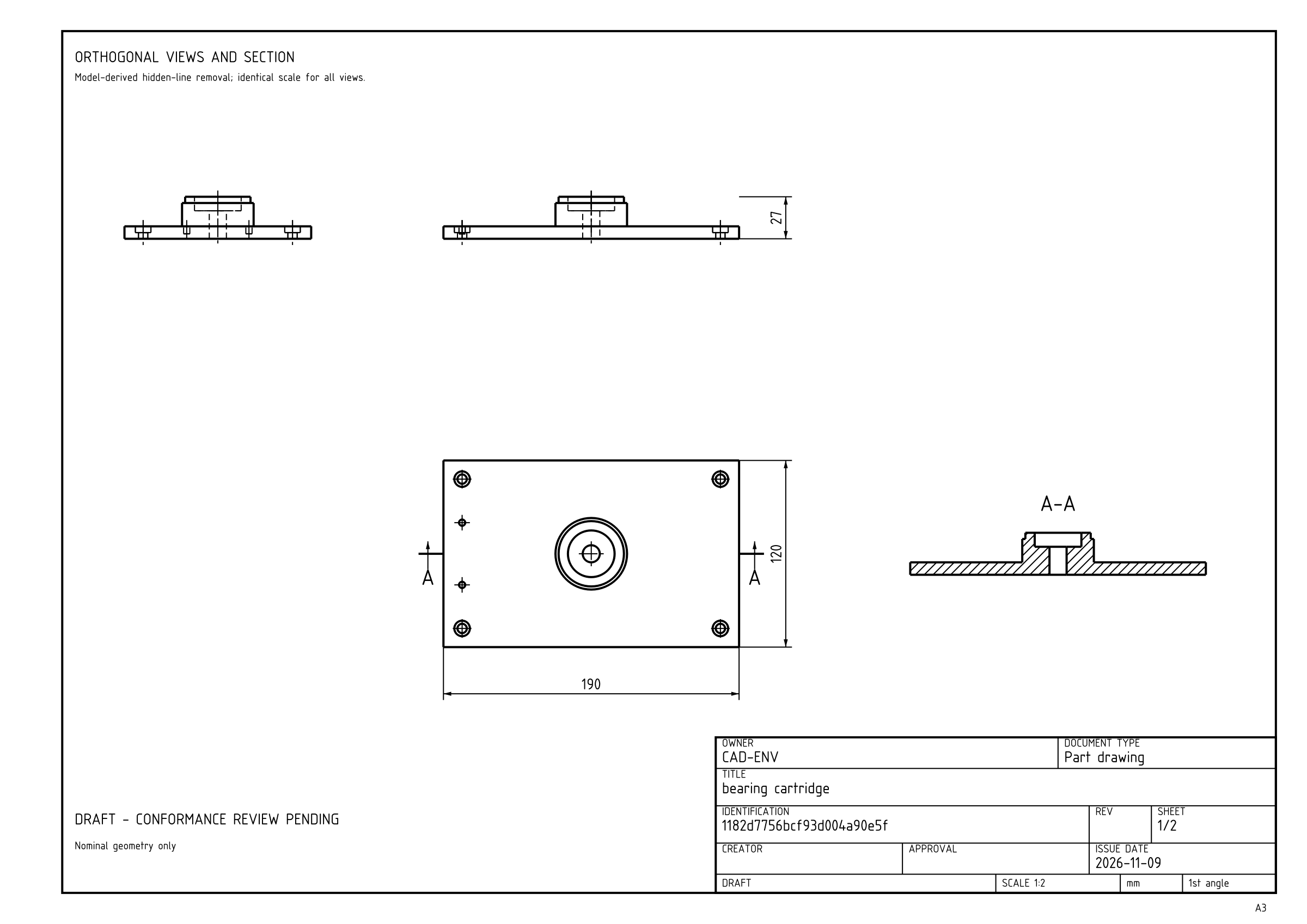
One CAD part, paired ISO and GOST drawing profiles. We now generate views, sections and feature schedules, then turn them into image inputs and reference action sequences.
Read the update and open the drawingsDRAWING PROFILES · FULL CONFORMANCE NOT CONFIRMED
Same 20 held-out parts in both profiles. Before: our previous CAD-tuned checkpoint. After: one epoch on 1000 next-action examples. A task passes only when the complete part is correct.
The main remaining failures are missing counterbores and object-name collisions. These results are separate from the earlier checkpoint-500 experiment below.
Download the recorded pilot results ↘00 / ONE EPISODE
The model chooses an action. FreeCAD applies it and returns the updated state. Repeat until the model finishes or runs out of steps.
Read about the interface01 / CAD BACKENDS
FreeCAD is our main environment. CadQuery runs the same basic actions through its own geometry backend. We execute every reference solution before adding it to a dataset.
Editable sketches and features, solid geometry checks, and saved FCStd models.
Solid modeling with OCCT, STEP export and replayable action sequences.
The shared tool set covers basic construction and parameter edits. The advanced solid-modeling probes use a separate interface. Assembly workflows and unrestricted CAD APIs are outside the current agent benchmark.
02 / EXAMPLE PARTS
These three parts come from the training set. Choose one to inspect its geometry and the reference sequence that built it.
Loading verified example…create_bodysketch_rectanglesketch_circlespadpocketset_parameterfinish03 / EARLIER EXPERIMENT
An earlier checkpoint-500 experiment on the basic tool curriculum. Both starting and final checkpoints had already received CAD training. These are not results for an untouched model or for the new ISO/GOST drawing benchmark.
Each backend was evaluated on 66 validation tasks from 33 part designs. The two backends share those designs. Their scores should not be counted as independent tests.
Generated and checked.
These are earlier datasets; checkpoint-500 did not train on all of them.
04 / TRAINING
We train on reference actions, then inspect the model’s own runs. Missing features and failed tool calls tell us which examples the next dataset needs.
A drawing, the current CAD state and the next action. LoRA adapts the language model and selected vision layers; the loss is calculated on the answer tokens.
Collect failed steps from real model runs and verify the corrected continuation in FreeCAD. The collector works, but coverage is still small.
Single-action visual GRPO has been tested. We have not established a quality gain from it, and full multi-step policy-gradient training is not implemented yet.
05 / GET STARTED
The repository includes the environment, data generators, training scripts and experiment reports. Start with a small native run before generating a larger dataset.
Explore the repositorygit clone https://github.com/researchim-ai/cad-env.git cd cad-envSetup guide FreeCAD and CadQuery setup ENTraining notes and known limitations EN